
Your data stays yours
Run OpenInvento on your own server. Your inventory and account data stay under your control, with no hosted service in the middle.
OpenInvento is a flexible, self-hosted inventory manager for the things you want to keep track of. Organize items, scan codes, and share inventories with your people.
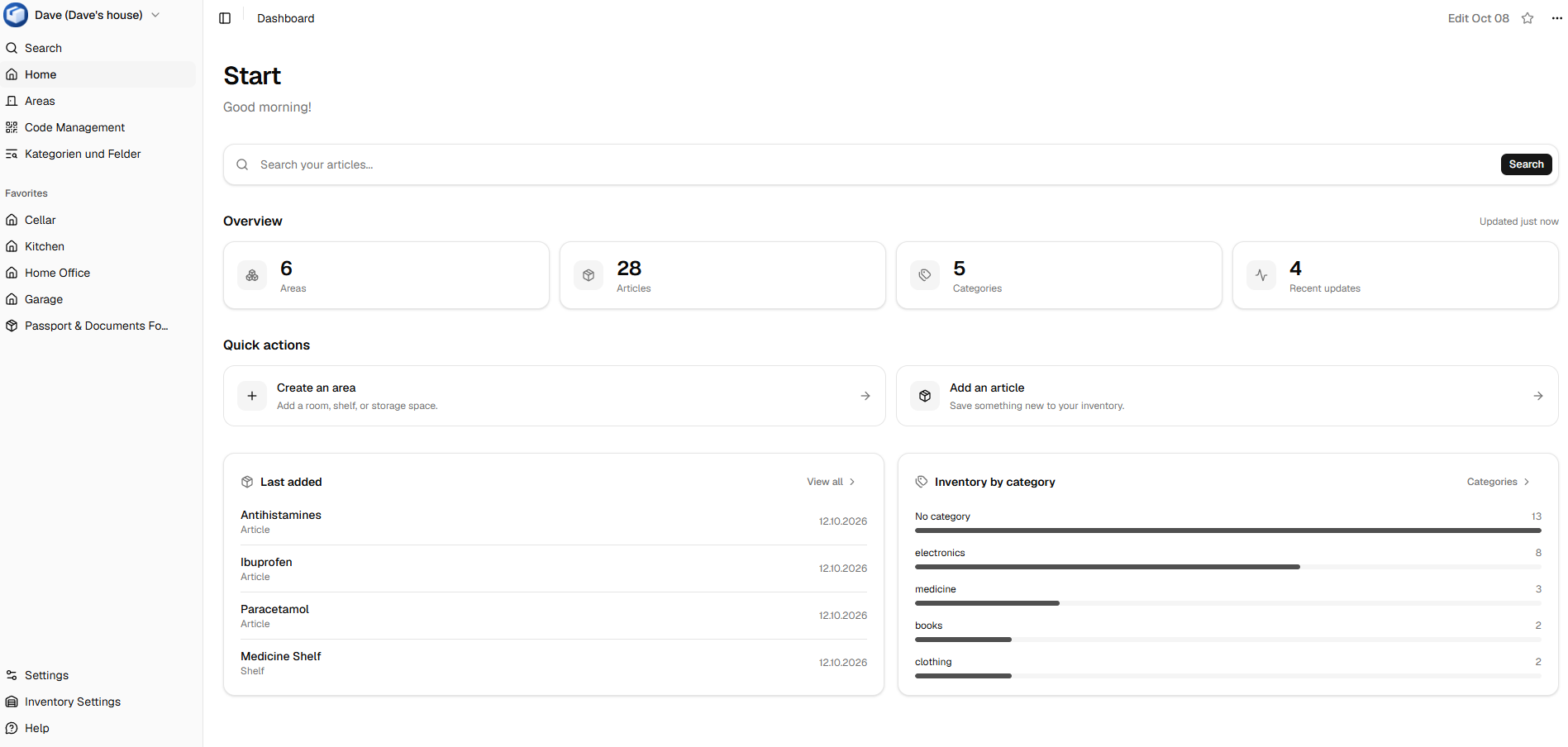
Made for real life
Simple to run, flexible to use, and ready to share with the people who need it.
Run OpenInvento on your own server. Your inventory and account data stay under your control, with no hosted service in the middle.
Flexible inventory management gives you room to organize things in a way that works for your home, workshop, or team.
Keep the articles you care about together in one inventory, from everyday supplies to equipment and collections.
QR code and barcode support makes it easy to identify items and connect the physical world to your inventory.
Get started with a small Docker Compose setup and keep your installation on infrastructure you choose.
Multi-user support and shared inventories help households and teams stay on the same page.
Your server, your setup
No repository checkout is needed. Download the project’s Docker Compose file, add your environment settings beside it, then start the service.
Get docker-compose.yml# 1. Download docker-compose.yml from the project
# 2. Configure env variables
# 3. Start OpenInvento
$ docker compose up -d
Open source · Self-hosted
Explore the code and see the setup
FAQ
OpenInvento is self-hosted, so you run it on infrastructure you control. Its Docker setup stores application data in the configured data directory.
Yes. OpenInvento supports multiple users and shared inventories, so you can keep a household or team in sync.
Use it for the articles that matter to you: supplies, tools, equipment, collections, and more. QR codes and barcodes help identify items.
Follow the Docker Compose instructions in the repository. Configure the environment values, including your initial admin credentials, before starting the containers. Take a look at the documentation for more information.
Yes, you can find the documentation at https://openinvento.github.io/docs/docs/intro.